Outlook 2013 (Office 365) for Mac Clock Error
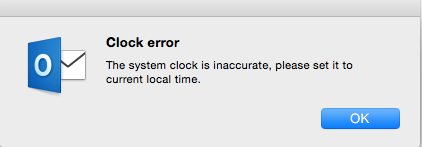
Summary: Ran into this wonderful error while traveling. Thankfully, I still had Outlook 2011 still installed, so I had a workaround for a bit. Clock error The system clock is inaccurate, please set it to current local time. Details: This would occur for no obvious reason, although it does seem related to 'travel' related activities when switching time zones. Outlook would go into offline mode and would require that I activate it first, activation would fail w/ the above error. If I remember correctly, I had this happen to me two about a month ago as well, but the activation error went away on it's own after I flew back to my timezone. This time, I screwed around w/ it, and well I probably broke it while trying to fix it before going back to my home time zone. One of which was deleting the computer from my activated list as a troubleshooting step. Anyway, Microsoft support on a communities board finally posted a solution, but it was difficu...