GeekTool: Geekweather2 auto-geolocation updated w/ city name
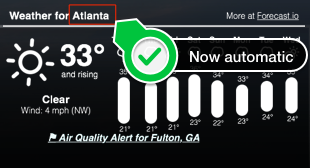
Continued from: http://tech.zsoldier.com/2014/11/geektool-geekweather2-w-auto-geo.html I briefly looked through the corelocation framework . Looks like the CLGeocoder Class could return friendly names, but I've been playing w/ Python lately so took that route for now. Be that as it may, wrote a little python script to take the latitude and longitude results from locateme to have it return city name from Google mapping API's. I also updated the geekweather2.sh script to accept "Names" that have underscores and/or spaces. The python script needs work as I'm kind of guessing w/ the return I get from geopy . I'll look into it more just out of curiosity, but if you have a chance, would love for someone to update my gist to determine city more accurately. PreReqs: Install geopy module for python pip install geopy Below is my fork of geekweather2.sh: https://github.com/Zsoldier/GeekWeather2/blob/master/geekWeather2.sh Below is what th...
