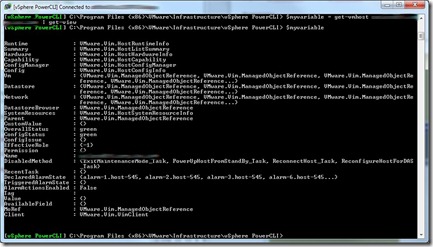
Summary: How to explore properties of objects using PowerCLI’s Get-View cmdlet. Details: Figure out the object you want to dig in deeper about. For example, finding out all properties available about an ESX host. Declare your variable, run the get-vmhost cmdlet, then pipe that to get-view, like so: 1: $myvariable = get-vmhost myesxserver | get-view Now by simply typing $myvariable at the powershell prompt, I’ll get a return like this: If I want to find out more about what is under the “Summary” property, I can simply type $myvariable.summary then hit enter. You can continue to do dive deeper to find the information you are looking for quickly and effectively by using this method. The ‘tab’ auto-complete function also works. Cheers!