Posts

WRT600N Bugs..

Image
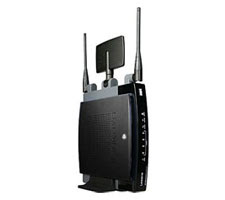
Summary WRT600N Firmware 1.01.36 Build 3 provides DHCP clients w/ DNS entries in a strange order. ISP's DNS -> Router -> Your static DNS entries By and large, I really like my WRT600N router. The thing is so dang versatile, but be warned it is not without it's issues. I'm currently using the latest firmware build 1.01.36 Build 3. There seems to be issues w/ the router's DHCP server. It issues DNS addresses in a weird order. It provides systems w/ the ISP's DNS servers as your primary and secondary, then the router itself as a tertiary, followed by any static DNS entries you've entered yourself. For most people this isn't an issue, but if are doing any kind of home networking, this leads to issues resolving local system names. Since the first thing your clients try to resolve a name against would be your ISP's DNS servers. They wouldn't have the first clue where to find "mylocalsystem". Windows is pretty good about this though ...


Mac's Software Updates...Bug? or just stupid?

Image
So I'm one to keep my filing system clean. Like in the Window's start menu, when it gets incredibly huge with each application having it's own entry, I begin to consolidate them into folders of like applications. On the mac, I thought it would be just as easy. I would move things like MS Office, and iLife 08 into their own folders. For the most part it is, but low and behold, unless the iLife applications are in the root of /Applications, the Mac Auto Software Updater doesn't see them so assumes they are not installed and does not apply patches. You can download them manually from Apple's website if you know what to look for, but that is such a pain the arse. Oh and you have to install one update after another. For instance, iPhoto has updates up to 7.5.3. I was at 7.5. Can't install 7.5.3 update, I have to install 7.5.1, then 7.5.2, then finally 7.5.3. WTF!? Are we still in Windows 3.11 age? Most advanced OS my ass. If there is a better way to keep m...

Bluetooth Dongle and Windows XP built-in management

Image
Summary: Make sure the Bluetooth Support Service is running as "Local System" or an account w/ administrative privileges. Ran into an interesting issue today. Just recently purchased this little AZIO bluetooth dongle for my work laptop. It came w/ software/drivers so I installed them. Don't know what it was about it, but the software ran like crap (high cpu, buggy connections to my phones). So I decided to drop back to using the straight Microsoft built-in management. I had no issues connecting my phones, but was getting an access denied message anytime I tried enabling a service for my phone like DUN (Dial-Up Networking). I have admin permissions so a security seemed odd. Not sure if this is by default, but it ended up being that my "Bluetooth Support Service" was running as a "NT Authority\Local Service" account. As soon as I changed it to "Local System", everything was working

Linksys WRT600N and Macbook Pro

Image
Summary: When assigning a SSID, be sure to assign a different name for your 5GHz and 2.4GHz spectrums. This also helps in differentiating which network you are connected to. Under "Applications and Gaming" --> "QoS", disable WMM Support. WMM Support seems to have a negative effect on Video Streaming if your wireless card does not have WMM support. So here is an interesting story. I recently purchased a linksys router, a one WRT600N. This router has the capability to host a 5GHz and a 2.4GHz wireless network at the same time. Cool, I thought, at least when I get a 5GHz card I can use it. Low and behold my mac can connect to the 5GHz spectrum. Anyway, I seemed to be having issues keeping all my computer connected at once. Any time my mac came online all my other PC laptop systems kept dropping off. What it came down to was the fact that I had named my SSID the same for both spectrums. Now mind you, I don't think that should normally cause a problem, but ...

VMWare Server Beta 2 (AD Authentication)

Image
Was having issues getting my server to authenticate using AD credentials. What follows is what I did to fix it: Changed " VMWare Virtual Infrastructure Web Access " Service to start w/ a domain account. Now I can login using any designated domain account under my local administrator group. Couple of notes: Service account needs modify access to " \VMware\VMware Server\tomcat" Adding users or groups from my domain is still an issue, but with this I can add a local group to my system and add users/groups from the domain to the local groups to break down permissions if I wanted to. I also posted this to the VMWare community. http://communities.vmware.com/thread/145706?tstart=0

VMWare Server Beta 2 (64-bit)

Image
Ran into an interesting issue trying to install Windows 2003 R2 64-bit on VMWare Server Beta 2 today. The server would boot up constantly saying that I did not have a x64 compatible processor. I had to go into the BIOS of my system and enable my processor's VT option before it would finally recognize that I was running a 64-bit system. System Specs: OS: Windows Vista Business SP1 64-bit Maker/Model: Dell Optiplex 755 Proc: Intel Quad Core2 Q6700 @2.67GHz RAM: 4GB VMServer Version: Beta 2 Build 84186

Grand Theft Auto IV and PS3

I just recently got Grand Theft Auto IV (GTAIV) and was suffering from what people were calling freezing problems. My particular symptom seemed to be that I would install the game play it for however long, then quit. When I would try to start again, the game would get stuck at the loading screen unless I would uninstall the game then reinstall again. Well this was unacceptable and the taketwo's advice was of little help. So I decided to think what could I do to try to fix this. Well, what makes my PS3 'different' from the norm: 160GB HDD USB connected 60GB HDD Memory stick inserted PS Eye Camera connected. So, can't do anything about that installed HDD, besides that shouldn't be a problem. Scratched number 1. I disconnected my USB HDD, cause well, that's just not standard. Took out the memory stick, cause well, that's not standard across all PS3. Low and behold, my GTAIV game has booted up successfully since I've disconnected these two things and ...