Posts

Happy Sys Admin Day!

Image
Happy Sys Admin Day!! Hope your boss or groups you work with appreciate the day to day work on the dark side of the moon you do everyday. http://www.sysadminday.com/

iPhone 2.0+ (iPhone or iPhone 3G) Enterprise Configuration Tool

Image
In order to join your iPhone 2.0+ to your corporate secured wireless network that uses PEAP or other protocol, you have to use the iPhone Enterprise Configuration Tool. It's not possible to configure it from the phone itself apparently. Seems there are two ways to get the configuration profiles onto your iPhone: Via the web, by hosting the .mobileconfig file on a network accessible IIS or OSX Server. E-mail the config file to your phone. iPhone Enterprise Config Tool: http://www.apple.com/support/iphone/enterprise/ iPhone Enterprise Config Tool Deployment Guide: http://manuals.info.apple.com/en_US/Enterprise_Deployment_Guide.pdf

iFix my Mac

Image
ifixit.com is a great page for those that want to tinker w/ their Apple branded product. I read their page to put in a bigger hard drive into my Mac Pro. Apple makes it fairly difficult to swap the hard drive on their Mac Pro line. Hopefully that'll change w/ their new Mac Pro model this year.

WRT600N Bugs..

Image
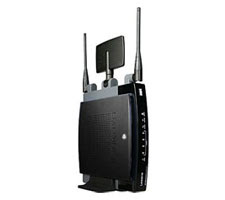
Summary WRT600N Firmware 1.01.36 Build 3 provides DHCP clients w/ DNS entries in a strange order. ISP's DNS -> Router -> Your static DNS entries By and large, I really like my WRT600N router. The thing is so dang versatile, but be warned it is not without it's issues. I'm currently using the latest firmware build 1.01.36 Build 3. There seems to be issues w/ the router's DHCP server. It issues DNS addresses in a weird order. It provides systems w/ the ISP's DNS servers as your primary and secondary, then the router itself as a tertiary, followed by any static DNS entries you've entered yourself. For most people this isn't an issue, but if are doing any kind of home networking, this leads to issues resolving local system names. Since the first thing your clients try to resolve a name against would be your ISP's DNS servers. They wouldn't have the first clue where to find "mylocalsystem". Windows is pretty good about this though ...

Mac's Software Updates...Bug? or just stupid?

Image
So I'm one to keep my filing system clean. Like in the Window's start menu, when it gets incredibly huge with each application having it's own entry, I begin to consolidate them into folders of like applications. On the mac, I thought it would be just as easy. I would move things like MS Office, and iLife 08 into their own folders. For the most part it is, but low and behold, unless the iLife applications are in the root of /Applications, the Mac Auto Software Updater doesn't see them so assumes they are not installed and does not apply patches. You can download them manually from Apple's website if you know what to look for, but that is such a pain the arse. Oh and you have to install one update after another. For instance, iPhoto has updates up to 7.5.3. I was at 7.5. Can't install 7.5.3 update, I have to install 7.5.1, then 7.5.2, then finally 7.5.3. WTF!? Are we still in Windows 3.11 age? Most advanced OS my ass. If there is a better way to keep m...


Bluetooth Dongle and Windows XP built-in management

Image
Summary: Make sure the Bluetooth Support Service is running as "Local System" or an account w/ administrative privileges. Ran into an interesting issue today. Just recently purchased this little AZIO bluetooth dongle for my work laptop. It came w/ software/drivers so I installed them. Don't know what it was about it, but the software ran like crap (high cpu, buggy connections to my phones). So I decided to drop back to using the straight Microsoft built-in management. I had no issues connecting my phones, but was getting an access denied message anytime I tried enabling a service for my phone like DUN (Dial-Up Networking). I have admin permissions so a security seemed odd. Not sure if this is by default, but it ended up being that my "Bluetooth Support Service" was running as a "NT Authority\Local Service" account. As soon as I changed it to "Local System", everything was working

Linksys WRT600N and Macbook Pro

Image
Summary: When assigning a SSID, be sure to assign a different name for your 5GHz and 2.4GHz spectrums. This also helps in differentiating which network you are connected to. Under "Applications and Gaming" --> "QoS", disable WMM Support. WMM Support seems to have a negative effect on Video Streaming if your wireless card does not have WMM support. So here is an interesting story. I recently purchased a linksys router, a one WRT600N. This router has the capability to host a 5GHz and a 2.4GHz wireless network at the same time. Cool, I thought, at least when I get a 5GHz card I can use it. Low and behold my mac can connect to the 5GHz spectrum. Anyway, I seemed to be having issues keeping all my computer connected at once. Any time my mac came online all my other PC laptop systems kept dropping off. What it came down to was the fact that I had named my SSID the same for both spectrums. Now mind you, I don't think that should normally cause a problem, but ...